Best AI Tools for Productivity in 2026 (Tested for Real Workflows)
Discover the best AI productivity tools in 2026 tested across real workflows. Explore top tools for writing, research, meetings, automation, and getting more done faster.



Introduction
If you're searching for the best AI productivity tools in 2026, you're not alone.
AI has completely transformed how work gets done, what used to take hours now takes minutes, and in many cases, happens automatically. From writing and research to data analysis and decision-making, AI productivity tools in 2026 are no longer just assistants, they’re full-fledged copilots for your work.
But here’s the problem:
There are hundreds of AI tools claiming to boost productivity, and most lists don’t help you figure out which ones actually deliver real results.
That’s why this guide exists.
We’ve curated the top AI productivity tools in 2026 based on what actually matters:
Tools that save hours, not seconds
Tools that improve thinking, not just output
Tools that scale from individuals to teams
Tools that integrate seamlessly into your workflow
Whether you're a founder, operator, marketer, or analyst, this list will help you find the best AI tools for productivity in 2026, so you can work faster, make better decisions, and stay ahead.
Why AI Productivity Tools Matter in 2026
In 2026, the way work gets done has fundamentally changed. The shift isn’t just about working faster, it’s about working smarter with AI embedded into every layer of your workflow. From startups to enterprises, organizations are increasingly relying on AI productivity tools to stay competitive in a world where speed, accuracy, and adaptability define success.
What makes this shift significant is that AI is no longer limited to automation. Today’s tools can analyze data, generate insights, predict outcomes, and even assist in decision-making, turning them into true collaborators rather than just support systems.
Businesses that actively use AI productivity tools in 2026 are seeing measurable advantages:
Reduced operational costs through intelligent automation
Faster execution across teams and processes
Better, data-driven decision-making at every level
Key reasons these tools matter:
Automation at Scale: AI handles repetitive and time-consuming tasks like data entry, reporting, scheduling, and content generation. This not only reduces human error but also frees up teams to focus on high-impact, strategic work.
Scalability Without Complexity: As businesses grow, traditional systems often struggle to keep up. AI tools scale effortlessly, handling increased workloads, data volumes, and operational complexity without requiring proportional increases in resources or headcount.
Smarter Decision-Making: Modern AI tools don’t just execute tasks, they provide real-time insights and recommendations. Whether it’s forecasting trends, analyzing customer behavior, or optimizing workflows, AI enables faster and more confident decisions.
Deep Customization Across Industries: AI productivity tools are highly adaptable and can be tailored to specific business needs. Whether it’s financial analysis, healthcare operations, retail forecasting, or marketing automation, AI fits seamlessly into different domains.
Enhanced Collaboration & Remote Work: With distributed teams becoming the norm, AI tools help bridge communication gaps, automate updates, summarize discussions, and keep everyone aligned, making remote work more efficient and less fragmented.
Resource Optimization & Sustainability: AI helps organizations allocate resources more effectively, reducing waste, optimizing time, and improving overall efficiency. This not only boosts productivity but also supports long-term sustainability goals.
Key Features to Look for in the Best AI Productivity Tools
When choosing AI productivity tools, some features are very important. These features help you pick a tool that really improves your work.User-Friendliness is key. The best tools are easy to use and need little training. This helps your team start using them quickly.
Next, look at integration capabilities. Tools that work well with your current systems keep your workflow smooth and boost efficiency. This is important for making the most of your current technology.
Here’s a quick checklist of features:
Easy to Use: The tool should feel simple from day one. If it takes too long to learn, people won’t use it. A clean interface and quick setup make a big difference.
Works With Your Existing Tools: It should connect easily with the apps you already use, like email, docs, or chat, so you don’t have to switch between tools or repeat the same work.
Saves Real Time: A good AI tool should actually reduce your workload, not just look impressive. It should help you finish tasks faster and remove repetitive steps from your day.
Flexible for Different Use Cases: Since you may use tools across writing, coding, research, or operations, it should adapt to different needs instead of being limited to one specific function.
Reliable and Accurate: The output should be consistent and useful. If you constantly need to fix mistakes, it defeats the purpose of using AI in the first place.
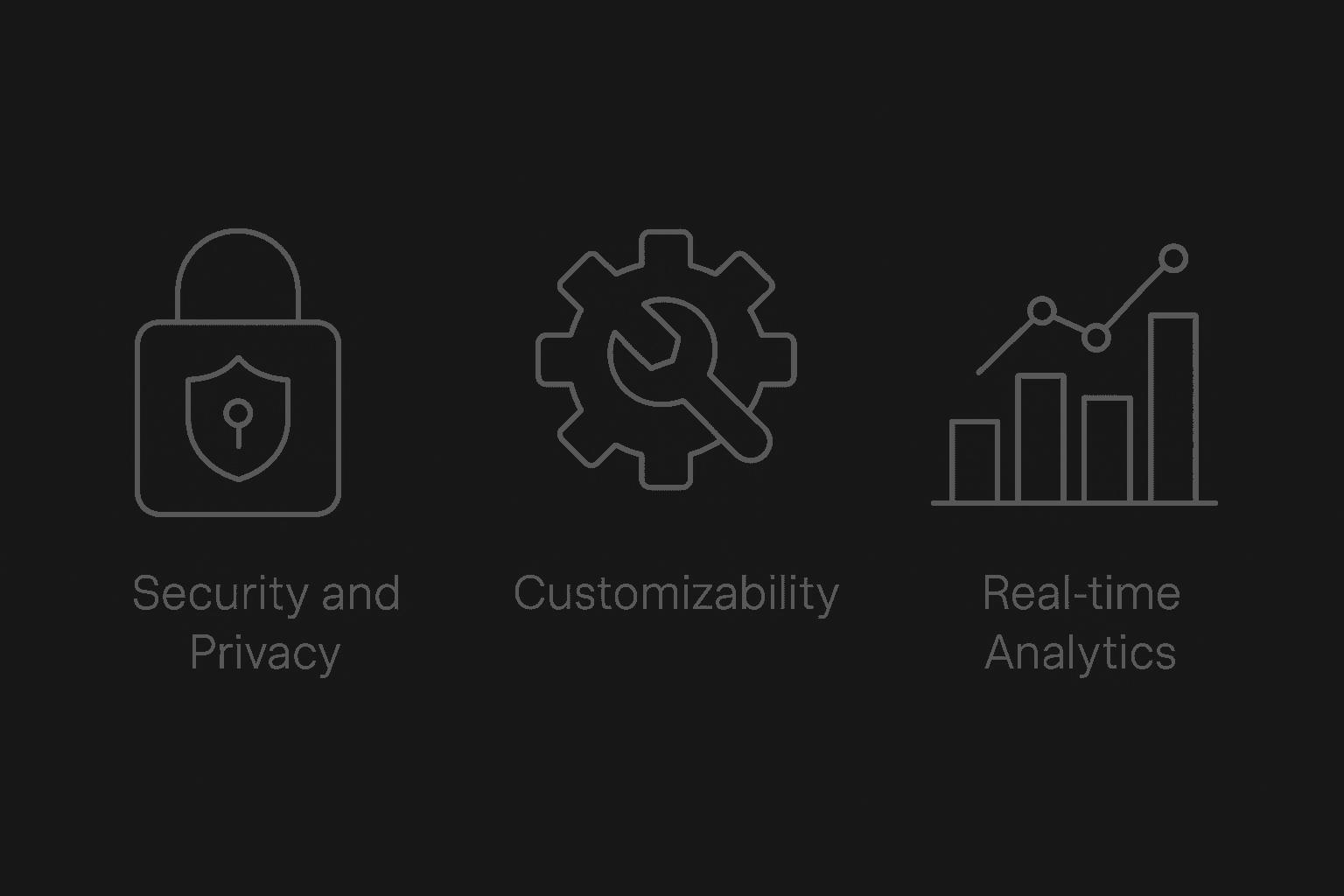
Secure and Trustworthy: Make sure the tool handles your data responsibly. Clear privacy policies and basic security measures are important, especially if you’re working with sensitive information.
Grows With Your Needs: As your work or team expands, the tool should still perform well. You shouldn’t have to replace it just because your usage increases.s.
Additionally, consider scalability. As your business grows, the chosen tools should adapt and expand their functionalities without major upgrades. This ability to scale is vital for sustained long-term growth.
Top AI Tools for Productivity in 2026
In 2026, many AI tools stand out for improving productivity. These tools combine advanced features with easy-to-use designs. They automate tasks and offer real-time insights. Each tool has its own special abilities. Let’s look at the best AI productivity tools that can help make work easier and more efficient.
1. Zapier AI
Zapier AI transforms how we automate workflows. It connects disparate apps, ensuring seamless data flow. This tool is ideal for businesses seeking to eliminate repetitive tasks.
Key features of Zapier AI include:
Automation: Connects apps without coding.
Integration: Supports numerous applications.
Scalability: Adapts to business growth.
Its user-centric design makes it accessible for those lacking technical expertise. As a result, users can focus on core business activities rather than manual data transfer.
2. Supaboard AI
Supaboard AI is an emerging productivity platform designed to help teams centralize data, automate reporting, and make faster decisions. It combines dashboards, analytics, and workflow automation in one interface.
Key features of Supaboard AI include:
Automated Dashboards: Converts raw data into ready-to-use dashboards without coding.
Collaboration Tools: Allows teams to share insights and track progress in real time.
Integrations: Connects with 600+ data sources like spreadsheets, CRMs, apps, and databases.
AI Insights: Provides intelligent suggestions to optimize operations and improve decision-making.
Supaboard AI stands out for teams that want a simple, visual, and automation-ready platform without needing technical expertise. Its clean interface and AI-powered reports make it an excellent choice for productivity, analytics, and workflow visibility.
3. Claude Pro
Claude Pro specializes in AI-enhanced project management. It aids teams in organizing, tracking, and completing tasks efficiently.
Claude Pro excels with features like:
Task Automation: Simplifies routine project tasks.
Resource Management: Optimizes allocation and use.
Progress Monitoring: Offers real-time status updates.
This tool's adaptive nature allows teams to optimize project deliverables, ultimately boosting productivity across the board.
4. Jasper AI
Jasper AI is renowned for content creation. It assists users in generating high-quality written content with minimal effort.
What makes Jasper AI standout:
Content Templates: Provides formats for various content types.
Tone Adjustments: Tailors messaging to audience needs.
Creative Assistance: Suggests ideas and edits.
With Jasper AI, users efficiently produce engaging content, freeing up time for strategic planning and creativity.
5. Motion
Motion enhances team collaboration by optimizing scheduling and task management. It's designed to bring efficiency to everyday operations.
Core features of Motion include:
Dynamic Scheduling: Adjusts in real-time to changes.
Team Collaboration: Centralizes task tracking.
Deadline Management: Prioritizes important tasks.
Motion's integration into workflows ensures tasks are completed on time, helping teams manage workload more effectively.
6. Grammarly AI
Grammarly AI supports precise and impactful communication. It's crucial for professionals needing to maintain high writing standards.
Essential elements of Grammarly AI:
Grammar Check: Ensures error-free writing.
Style Suggestions: Enhances readability and tone.
Vocabulary Enhancement: Expands language use.
This tool simplifies proofreading, making it indispensable for improving professional documentation and communication.
7. Notion AI
Notion AI revolutionizes data organization and project management. It combines various tools into one cohesive system for easy access.
Notion AI's defining features:
Information Hub: Centralizes data and projects.
Custom Workspaces: Adapts to unique team requirements.
Collaboration Tools: Supports shared inputs and updates.
Its versatility positions Notion AI as an all-in-one solution for organizing and optimizing workflows.
8. FeedHive
FeedHive simplifies social media management with intelligent content scheduling and engagement insights.
Distinctive features of FeedHive:
Content Planning: Automates post scheduling.
Engagement Insights: Analyzes audience interaction.
Performance Analytics: Tracks campaign success.
By optimizing social media strategies, FeedHive allows businesses to focus on growth and audience engagement.
9. Descript
Descript transforms audio and video editing with AI-driven capabilities. It makes editing intuitive and efficient.
Highlights of Descript:
Transcription: Converts audio to text quickly.
Editing Tools: Offers advanced yet simple editing.
Collaboration: Enables team-based content creation.
Descript empowers creators to produce professional-grade content effortlessly, saving valuable time in post-production.
These tools represent the forefront of AI technology, each contributing unique solutions to enhance productivity. By leveraging these tools, businesses can optimize operations and achieve their strategic goals in 2026.
How to Choose the Right AI Productivity Tool for Your Needs
Start With What You Actually Need (Not What’s Trending): Focus on your main use case, writing, coding, research, or automation. The best tool is the one that solves your daily problem, not the one everyone is talking about.
Pick Something That Fits Into Your Daily Workflow: Choose a tool that works with apps you already use. If you have to constantly switch tabs or change your process, it will slow you down over time.
Test It in Real Work (Not Just Demos): Use the tool for your actual tasks for a few days. You’ll quickly know if it saves time or just feels impressive without adding real value.
Simpler Tools Usually Win: Many users say they drop powerful tools because they’re too complex. Tools that are easy and quick to use tend to stick, even if they have fewer features.
Avoid Using Too Many Tools at Once: A common mistake users mention is stacking multiple AI tools. This often creates confusion and reduces productivity instead of improving it, fewer, better tools work best.
Future Trends of AI Productivity Tools
As 2026 unfolds, AI tools are rapidly transforming. Innovations promise to redefine productivity in unprecedented ways. Staying updated on trends is crucial for staying ahead.
Emerging trends include:
Personalization: Tailoring experiences to individual needs.
Ethical AI: Prioritizing transparency and fairness.
Enhanced Collaboration: Facilitating seamless team interactions.
The focus on personalization means tools will better understand user behaviors. This leads to customized solutions that increase efficiency. Ethical AI practices gain importance, ensuring responsible deployments. Enhanced collaboration features will break down communication barriers, making teamwork more effective. Keeping an eye on these trends helps businesses leverage AI tools for optimal productivity.
How AI Productivity Tools Improve Workflow Efficiency
AI productivity tools improve workflow efficiency by automating repetitive tasks, reducing manual errors, and enabling faster decision-making. Instead of switching between multiple tools, users can rely on AI to manage research, content creation, and data analysis in one place. This leads to better time management, higher output quality, and more focus on strategic work. In 2026, businesses using AI productivity tools gain a clear competitive advantage through speed and scalability.
FAQs
What are the latest AI productivity tools updates in 2026?
AI productivity tools in 2026 now focus on automation, context awareness, and multi-step task execution. Instead of just assisting, tools can complete workflows like research, writing, and reporting. The biggest updates include better integrations with business tools and real-time data understanding, making them more useful for everyday work.
Which are the best AI productivity tools in 2026?
The best AI productivity tools in 2026 include ChatGPT for content and research, Notion AI for workspace management, Zapier for automation, Grammarly for writing, and Microsoft Copilot for business workflows. These tools are widely used because they save time, reduce manual work, and improve output quality.
Are there any new AI productivity tools launched in 2026?
Yes, many new AI productivity tools in 2026 focus on automation-first workflows. These tools go beyond chat-based responses and execute tasks across apps, such as managing emails, generating reports, and updating dashboards automatically. The trend is shifting toward AI agents rather than simple assistants.
What are the best free AI productivity tools in 2026?
Some of the best free AI productivity tools in 2026 include ChatGPT (free tier), Notion AI (limited free usage), Grammarly, and basic automation tools like Zapier’s free plan. These tools offer strong functionality for individuals and small teams without requiring upfront costs.
How are AI productivity tools improving workplace productivity in 2026?
AI productivity tools improve workplace productivity by reducing repetitive tasks, automating workflows, and providing faster insights. Teams can complete tasks like reporting, content creation, and data analysis much quicker, allowing them to focus on strategic work instead of manual processes.
What are the top AI productivity tools trends in 2026?
The biggest trends in AI productivity tools in 2026 include AI agents, workflow automation, deeper integrations, and personalized context-based responses. Tools are becoming more proactive, handling tasks independently instead of waiting for user prompts.
Which AI tools are best for personal productivity in 2026?
For personal productivity in 2026, tools like ChatGPT, Notion AI, and Grammarly are highly effective. They help individuals manage tasks, write faster, organize information, and automate daily work, making them ideal for freelancers, creators, and professionals.
What are the latest AI productivity tools updates in 2026?
AI productivity tools in 2026 now focus on automation, context awareness, and multi-step task execution. Instead of just assisting, tools can complete workflows like research, writing, and reporting. The biggest updates include better integrations with business tools and real-time data understanding, making them more useful for everyday work.
Which are the best AI productivity tools in 2026?
The best AI productivity tools in 2026 include ChatGPT for content and research, Notion AI for workspace management, Zapier for automation, Grammarly for writing, and Microsoft Copilot for business workflows. These tools are widely used because they save time, reduce manual work, and improve output quality.
Are there any new AI productivity tools launched in 2026?
Yes, many new AI productivity tools in 2026 focus on automation-first workflows. These tools go beyond chat-based responses and execute tasks across apps, such as managing emails, generating reports, and updating dashboards automatically. The trend is shifting toward AI agents rather than simple assistants.
What are the best free AI productivity tools in 2026?
Some of the best free AI productivity tools in 2026 include ChatGPT (free tier), Notion AI (limited free usage), Grammarly, and basic automation tools like Zapier’s free plan. These tools offer strong functionality for individuals and small teams without requiring upfront costs.
How are AI productivity tools improving workplace productivity in 2026?
AI productivity tools improve workplace productivity by reducing repetitive tasks, automating workflows, and providing faster insights. Teams can complete tasks like reporting, content creation, and data analysis much quicker, allowing them to focus on strategic work instead of manual processes.
What are the top AI productivity tools trends in 2026?
The biggest trends in AI productivity tools in 2026 include AI agents, workflow automation, deeper integrations, and personalized context-based responses. Tools are becoming more proactive, handling tasks independently instead of waiting for user prompts.
Which AI tools are best for personal productivity in 2026?
For personal productivity in 2026, tools like ChatGPT, Notion AI, and Grammarly are highly effective. They help individuals manage tasks, write faster, organize information, and automate daily work, making them ideal for freelancers, creators, and professionals.
Final Thoughts: Maximizing Productivity with AI in 2026
AI tools are no longer just an advantage, they’ve become a core part of how work gets done in 2026. They help automate routine tasks, simplify complex workflows, and make it easier to take action with better information.
But the real impact comes from how you use them. The right tools can remove friction from your day, help you focus on meaningful work, and improve the quality of what you produce. The wrong ones can do the opposite.
Instead of chasing every new tool, focus on a few that genuinely fit your workflow and solve real problems. That’s where the biggest gains come from.
As AI continues to evolve, the people and teams who stay curious, experiment, and adapt will get the most value out of it. Start small, stay practical, and build from there, because the goal isn’t just to use AI, it’s to work better with it.