Application Integration vs Data Integration: Key Differences
Understand application vs data integration, key differences, real use cases, and how modern teams use both for workflows, reporting, and better decisions.


Introduction
Most companies rely on multiple tools, CRM systems, marketing platforms, finance software, support tools, and analytics dashboards. These systems generate valuable data, but they rarely work together seamlessly. As a result, teams deal with disconnected workflows, inconsistent reporting, and manual work that slows everything down.
This is where integration becomes essential. However, many teams still confuse data integration vs application integration. While both connect systems, they solve different problems and support different outcomes.
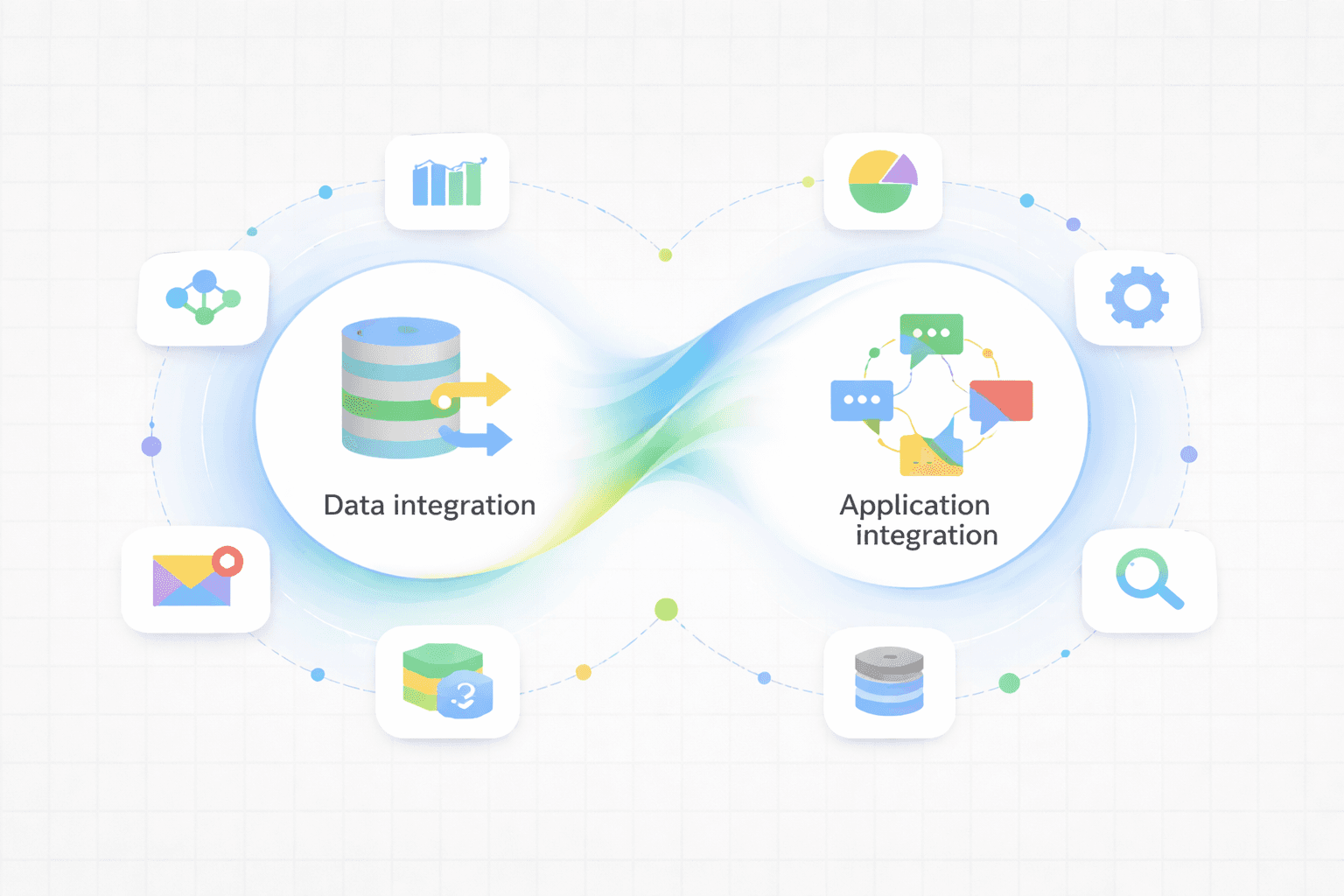
Application integration enables systems to communicate in real time, helping teams automate workflows and keep operations running smoothly. In contrast, data integration focuses on consolidating data from multiple sources into a single, reliable view for analytics and decision-making.
Understanding the difference between data integration and application integration is critical. As businesses scale, choosing the wrong approach leads to inefficiencies, fragmented systems, and unreliable insights.
In this guide, you’ll learn what data integration and application integration mean, how they work, their key differences, and when to use each. By the end, you’ll know how to choose the right approach based on your specific business needs.Data Integration vs Application Integration (Quick View)
Aspect | Data Integration | Application Integration |
|---|---|---|
Goal | Combine data for insights | Connect systems to work together |
Focus | Data processing | System communication |
Speed | Batch or scheduled | Real-time |
Use case | Analytics, reporting | App-to-app workflows |
Tech | ETL, warehouses | APIs, middleware |
What Is Application Integration?
Application integration connects software systems so they work together in real time. It enables apps to share data instantly, automate workflows, and keep operations aligned. In data integration vs application integration, this approach focuses on system communication and process automation, helping teams reduce manual work, prevent errors, and ensure seamless interactions across tools.
According to IBM, application integration connects apps so they can exchange data instantly and remove silos between systems. In simple words, it helps teams move faster because tools stay synced.
What Is an Example of Application Integration?
A practical way to understand application integration is through real business systems working together. Many organizations use platforms like CRM systems (Salesforce), ERP software (SAP), supply chain management tools, and customer support platforms to manage different parts of their operations. However, these systems often need to share information continuously to keep processes running smoothly.
For example, consider a modern ecommerce business. When a customer places an order:
The ecommerce platform sends order details to the ERP system
The inventory system updates stock levels automatically
The shipping platform receives fulfillment instructions
The CRM records customer activity for future engagement
All of this happens instantly across systems without manual work. That is application integration in action.
Companies also connect tools like marketing automation platforms, web analytics software, HR systems, and finance applications. Without integration, teams would spend hours transferring data manually and fixing inconsistencies across tools.
Why Is Application Integration Important?
In environments like the ones above, application integration helps organizations maintain accurate, consistent data across systems. When separate tools store duplicate information without syncing, errors increase and reporting becomes unreliable. However, connected systems ensure everyone works with the same data.
Disconnected applications also create silos. These silos reduce efficiency, limit scalability, and make it difficult to track how data moves across the organization. Over time, this slows teams down and creates unnecessary complexity.
A well-implemented integration strategy improves operations and supports growth.
Key Benefits of Application Integration
Real-time visibility: Teams always see updated information across systems. This helps leaders track operations instantly, respond faster to issues, and avoid delays caused by outdated or incomplete data.
Stronger workflows: Connected applications support complete business processes from start to finish, reducing gaps between departments and ensuring smoother handoffs across sales, operations, finance, and support teams.
Reduced manual effort: Automation removes repetitive data entry tasks. This lowers human errors, saves time, and allows teams to focus more on strategy and high-impact work.
Faster execution: Real-time system communication helps teams respond quickly to customer actions, operational changes, and business events without delays caused by disconnected tools.
Better alignment: Shared data across departments improves collaboration, keeps teams aligned on priorities, and ensures decisions are based on consistent and accurate information.
Today, most growing organizations depend on connected systems to operate effectively. To see how modern integrations work in practice.
Application integration mainly supports operational efficiency and day-to-day execution.
What to Look for in an Application Integration Solution
Choosing the right solution depends on your workflows and long-term goals. Consider these factors:
Ease of implementation: Can teams set it up without heavy engineering effort?
Usability: Is it simple for both technical and non-technical users?
Scalability: Will it support growth as systems expand?
Flexibility: Can it adapt to changing workflows and tools?
The best solution should support current needs while staying flexible for future growth.
What Is Data Integration?
Data integration is the process of connecting and bring data all together to the across an organization to provide a complete, accurate, and up-to-date dataset for BI, data analysis and other applications and business processes. different. Instead of connecting apps for workflows, it focuses on combining data from multiple sources into one place for analysis.
As explained by IBM, data integration merges data from different systems into a single dataset that teams can use for reporting and insights. It supports decision-making rather than daily operations.
What Is an Example of Data Integration?
A practical example of data integration is when businesses combine data from multiple platforms into one centralized system for analysis.
Imagine your business uses:
CRM for customer data
Shopify for orders
Google Ads for marketing performance
Finance tools for revenue tracking
Each platform holds valuable information. However, none shows the full business picture on its own. Data integration brings all this data together into one unified dataset so teams can analyze performance clearly and make better decisions.
For example, leaders can see how marketing spend affects revenue, which customer segments convert best, and how sales trends change over time. That is data integration in action.
ETL (Explained Simply)
Most data integration workflows rely on ETL (Extract, Transform, Load). It is a simple three-step process:
Extract: Pull data from different systems like CRM, ecommerce platforms, and ad tools
Transform: Clean, format, and organize the data for consistency
Load: Store it in a data warehouse or analytics platform
Some modern workflows use ELT instead. However, the goal remains the same — make data clean, usable, and reliable for analysis.
Why Teams Use Data Integration
Organizations use data integration to turn scattered information into meaningful insights. Without it, reporting becomes inconsistent and decision-making becomes harder.
Key Reasons Teams Use Data Integration
Build reliable dashboards: Integrated data ensures dashboards reflect accurate performance across marketing, sales, and operations without missing or duplicate information.
Create consistent reports: Teams rely on unified datasets to maintain alignment across departments and avoid conflicting numbers in business reporting.
Track performance clearly: Leaders monitor growth trends, customer behavior, and operational metrics through a single trusted data source.
Support forecasting: Clean historical data helps organizations predict revenue trends, demand patterns, and future performance more confidently.
Improve decision-making: Unified insights help teams identify opportunities faster and make data-driven decisions across departments.
If you're exploring how analytics platforms use integrated data for smarter insights, this guide explains it well:
Data integration mainly supports analytics and strategic decision-making.
Why Is Data Integration Important?
Data integration improves how organizations understand and use information across teams. Without it, businesses often deal with incomplete insights and disconnected reporting.
Key advantages include:
Eliminates data silos across systems
Improves data accuracy and trust
Saves time on manual reporting
Strengthens cross-team visibility
Supports scalable growth strategies
In simple terms, data integration helps businesses see the full picture instead of isolated snapshots.
What to Look for in a Data Integration Solution
Choosing the right data integration solution depends on your data complexity and business needs. Consider these factors:
Ease of setup: Can teams implement data pipelines without heavy engineering effort?
Data compatibility: Does it support multiple data sources and formats?
Automation capability: Can it handle regular updates automatically?
Scalability: Will it support growing data volumes over time?
The right solution should simplify workflows while supporting long-term growth.
Application Integration vs Data Integration (Main Differences)
Although both involve connecting systems, their purpose and approach are very different.
According to Domo, application integration typically works in real time, while data integration often handles larger datasets through scheduled processing for reporting and analytics.
Here is a simple breakdown:
At a Glance: Key Difference
Application integration connects systems to automate workflows and support real-time business operations.
Data integration combines data from multiple sources to support reporting, analysis, and strategic decision-making.
Purpose of Integration
Application integration: Supports workflows and operations by enabling systems to share updates instantly and automate cross-platform business processes efficiently.
Data integration: Supports reporting and analytics by combining structured data from multiple sources into one consistent, analysis-ready dataset.
Speed of Integration
Application integration: Real-time or near real-time communication ensures faster responses to customer actions, system events, and operational changes.
Data integration: Often batch-based processing runs hourly or daily to manage large datasets without affecting system performance.
Data Size of Integration
Application integration: Handles smaller, event-driven data exchanges such as transactions, notifications, and system triggers across connected applications.
Data integration: Manages large structured datasets used for dashboards, forecasting models, and long-term performance analysis.
Application and Data integration: Use Cases
Application integration: Ideal for workflow automation, SaaS tool synchronization, customer onboarding processes, and operational task coordination.
Data integration: Best for dashboards, executive reporting, trend analysis, performance tracking, and strategic business planning.
When Businesses Use Each (Real Examples)
The right choice depends on what your team is trying to achieve. Some businesses need faster workflows. Others need clearer insights. Many eventually need both.
Example 1: SaaS Startup Using Application Integration
A growing SaaS company connects its CRM, Slack, billing platform, and customer support tools to streamline daily operations. When a new customer signs up:
The CRM captures the lead and updates lifecycle stages automatically
Slack alerts sales and onboarding teams instantly
The billing system creates the subscription and invoice
Support tools prepare onboarding workflows and ticket visibility
All systems stay aligned without manual effort. This setup helps teams respond faster, reduce operational delays, and deliver smoother customer experiences. That is application integration in action.
This approach is commonly used for:
Customer onboarding automation
Sales-to-support handoffs
Subscription and billing workflows
Real-time internal notifications
Example 2: Ecommerce Company Using Data Integration
An ecommerce company wants deeper visibility into performance across channels. Meanwhile, its data is spread across:
Shopify orders and customer data
Marketing platforms like Google Ads and Meta
Warehouse and logistics systems
Using data integration, the company centralizes everything into a data warehouse. Leadership teams can now track:
Revenue growth across channels
Marketing ROI and acquisition costs
Inventory trends and fulfillment efficiency
This helps leaders make faster, more informed strategic decisions. That is data integration in practice.
If you're comparing modern analytics stacks, this breakdown explains the full ecosystem clearly
Can You Use Both Together?
Yes, most modern companies rely on both approaches.
As noted by Boomi, combining application integration and data integration reduces silos and improves decision-making across teams. Together, they support both execution and strategy.
Here’s how they typically work together:
Application integration connects tools in real time to support workflows
Data integration consolidates information for reporting and insights
Together, they create a scalable and efficient data ecosystem
Most modern data stacks depend on both to balance speed with visibility.
Common Mistakes Teams Make
Many companies struggle with integration because they focus on tools instead of outcomes. Without clear planning, integrations often become complex and difficult to scale.
Here are common mistakes teams make:
Choosing tools without clear use cases: Many adopt platforms without defining operational or analytical goals first.
Using application integration for analytics workflows: Real-time syncing does not replace structured reporting pipelines.
Overbuilding pipelines too early: Teams often design complex systems before validating actual business needs.
Ignoring data governance: Without clear standards, integrated systems create inconsistent and unreliable insights.
Not planning scalability: Solutions built for small teams often fail as data volumes and workflows grow.
The most effective approach always starts with business goals, not technology choices.
Frequently Asked Questions
1. What is the main difference between data integration and application integration?
Application integration connects systems so they work together in real time. Meanwhile, data integration combines information into one dataset for reporting and analysis. One supports workflows, while the other supports decision-making.
2. Can application integration replace data integration?
Not really. Application integration focuses on operations and real-time workflows. However, it doesn’t organize large datasets for reporting. Most businesses need data integration for analytics and long-term insights.
3. Is ETL part of application integration?
No. ETL belongs to data integration. It extracts, transforms, and loads data into storage systems for reporting. Application integration focuses more on APIs, automation, and event-based workflows.
4. Which is better for real-time workflows?
Application integration works best for real-time workflows. It syncs systems instantly and supports automation across tools. Data integration usually runs on schedules instead of continuous updates.
5. Do modern companies use both together?
Yes. Most modern organizations use both. Application integration supports daily operations, while data integration powers analytics and strategy. Together, they create a complete data ecosystem.
Conclusion
Application integration and data integration may sound similar, but in practice, they solve very different business problems.
Application integration helps systems communicate in real time so daily operations run smoothly. It supports automation, reduces manual work, and ensures teams can act quickly on customer and operational events.
Meanwhile, data integration helps organizations understand performance by combining information into one reliable source for reporting, analysis, and long-term planning.
The right choice depends on what your business needs most right now:
Need faster workflows and automation? Focus on application integration
Need reliable reporting and insights? Invest in data integration
Need both operational speed and strategic clarity? Use both together
In reality, most growing companies eventually rely on both. Application integration keeps workflows efficient, while data integration provides the visibility leaders need to make confident decisions.
The most effective approach is practical: start with your core business challenges, avoid overengineering early, and build an integration strategy that scales with your systems, teams, and data complexity over time.